Dialing the current internet from Mac OS 9 (mostly)
Some time ago I wrote about using my email server from Mac OS 9 and how I ended up putting stunnel on a Pi because as usual with old systems the crypto stuff was blocking. It worked but I always wanted my PowerMac G4 to do the crypto by itself.
Networking on Mac OS 9 is kinda annoying. In the past I tried GUSI which does BSD sockets but I had trouble setting it up and it doesn't feel native at all. So I went for Open Transport directly. It works but the API is not very friendly, endpoints, OTLook, flow control errors, lots of code just to open a connection and wait for an answer. I wanted something simpler.
That's why I made Dial, an attempt at a small TCP library for Mac OS 9 and CodeWarrior 6.
What does Dial do? It opens a connection, sends, receives and closes over Open Transport. With the help of BearSSL it can also do TLS which means my G4 now fetches HTTPS and Gemini pages on its own, no proxy, no Pi in the middle. Pretty cool!
Why Dial? Because of plan 9 dial(2) also short and sweet :) Dialing a server and talking to it is pretty much all this library does anyway.
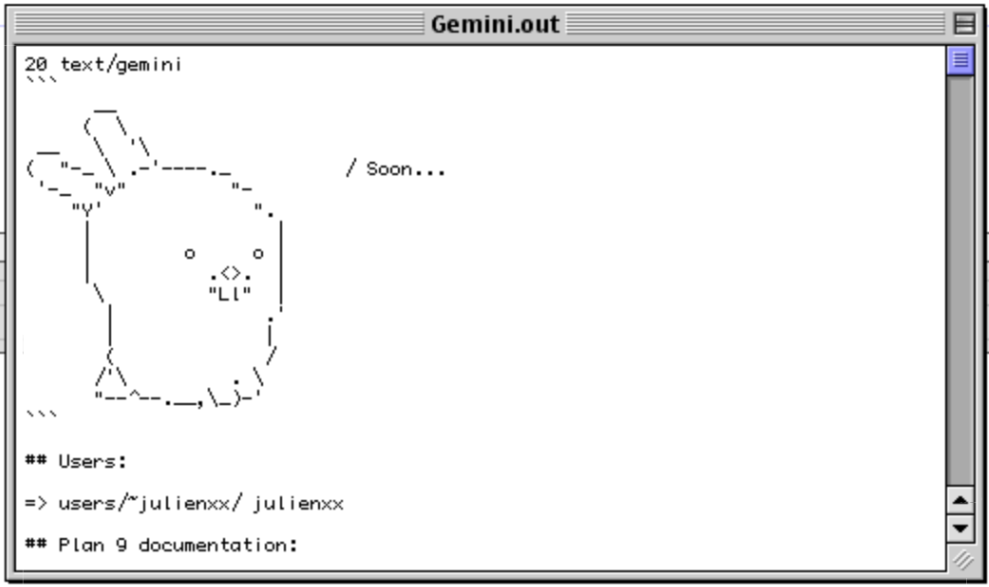
Figure 1: Dialing Gemini
What's available
Everything is on my files page as StuffIt archives.
- Dial: the TCP library itself with finger, HTTPS and Gemini examples
- BearSSL: the TLS and crypto library, built from git 7bea48e with a tiny patch to make it C89 friendly
- Certificates: loads cacert.pem root certificates at run time so BearSSL can check who it's talking to
- cJSON: a JSON parser which compiled as-is, nice surprise
Pick what you need but BearSSL is mandatory for now even if you don't intend to use TLS.
Plain TCP
I wanted the API to stay small and easy to grasp. Here is a complete finger client for example:
#include <stdio.h>
#include "Dial.h"

int main(void)
{
        DialConn *conn;
        char buf[512];
        long n;

        Dial_Init();
        if(Dial_Open("typed-hole.org", 79, 15, &conn) == noErr) {
                Dial_SendString(conn, "julien" kDialCRLF);
                while((n = Dial_Receive(conn, buf, sizeof(buf) - 1)) > 0) {
                        buf[n] = '\0';
                        printf("%s", buf);
                }
                Dial_Close(conn);
        }
        Dial_Shutdown();
        return 0;
}
Pretty straightforward I'd say.
Note the kDialCRLF, by default CodeWarrior maps \n to CR and \r to LF
(classic Mac convention apparently) so writing "\r\n" sends LF CR
instead of CR LF. kDialCRLF spells out the bytes so it's always
correct.
HTTPS
For TLS you load the root certificates once and open the connection
with Dial_OpenTLS instead. kDialVerifyCert means the server's
certificate has to be signed by one of the roots.
Certificates_Load("cacert.pem");
Dial_Init();
Dial_OpenTLS("lobste.rs", 443, 30, kDialVerifyCert, &conn);
Dial_SendString(conn, "GET /newest.json HTTP/1.0" kDialCRLF
                      "Host: lobste.rs" kDialCRLF kDialCRLF);
total = Dial_ReceiveAll(conn, &response);
Dial_ReceiveAll reads until the server closes and gives you back a
buffer that grows as needed, just free() it when done.
Add cJSON et voilà the latest lobste.rs stories in a SIOUX window.
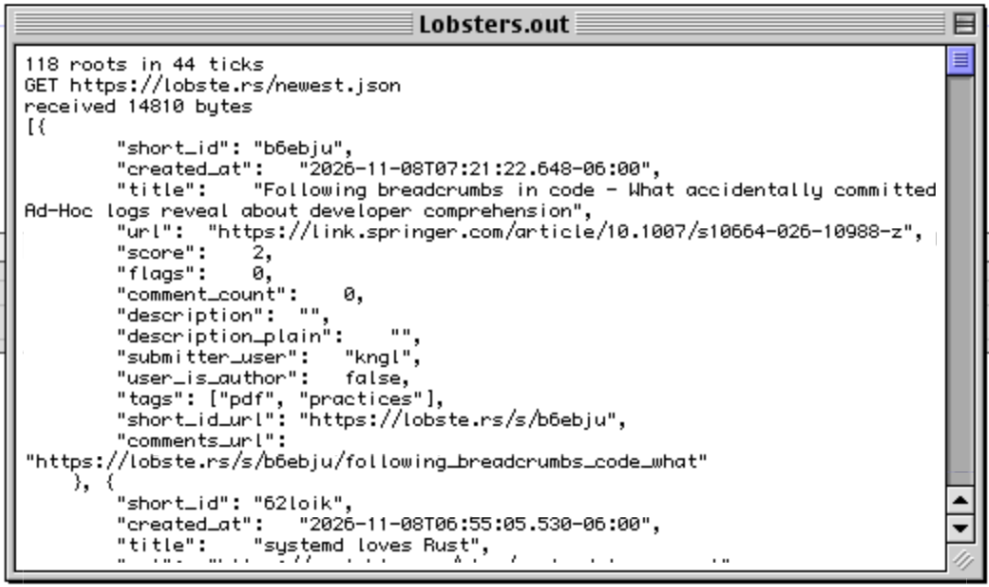
Figure 2: lobste.rs JSON over HTTPS
The roots come from curl's copy of Mozilla's list. Updating them is just downloading a new cacert.pem (WebOne helps here) and dropping it next to the app, no recompiling needed. Loading the 118 roots takes less than a second on my G4.
Gemini
Most Gemini capsules use self-signed certificates and the protocol
recommends "trust on first use" instead of CAs.
That's what kDialAnyCert is for, the host name is still checked but
not who signed the certificate nor its dates.
Dial_OpenTLS("9til.de", 1965, 30, kDialAnyCert, &conn);
Dial_SendString(conn, "gemini://9til.de/" kDialCRLF);
total = Dial_ReceiveAll(conn, &response);
A Gemini request is just the URL and the answer is a status line like
20 text/gemini followed by the page. Simple enough for the G4 :p
Some gotchas
- Calls block until they are done.
- A TLS handshake takes a second on my G4 and doesn't yield while computing.
- OS 9 has no secure random number source so the TLS keys are seeded from the clock. Fine for reading stuff but I wouldn't send secrets with it yet.
- If every lookup fails after 10 seconds with -3162 check your DNS server. Mine wasn't answering plain UDP DNS, only DNS over TLS so nothing to do with my code but I spent a good while staring at it.
Resources that helped
The crypto is all BearSSL, the tricky part was the Mac glue around it: converting the Mac's local time since 1904 into the GMT date BearSSL wants and finding something random enough to seed it with and setting up certificates checks.
- BearSSL's client example, Dial's TLS works the same way but on top of Open Transport
- BearSSL's API docs and headers, mostly bearssl_ssl.h and bearssl_x509.h
- tools/certs.c from BearSSL's brssl tool, used as-is to load cacert.pem and accept self-signed certificates
- Apple's Technote 1064 and Inside Macintosh for the Mac clock and time zone
Other classic Mac TLS projects worth a look: macTLS, Certainly, ssheven and Crypto Ancienne. Also macTLS has a plan to implement randomness properly.
That's it for Dial, now onto the more interesting part, creating cool apps with it like TurboCastor since castor9 is already a thing :)
Figure 3: Shutting down